
Install n8n with Docker: Compose Setup
By Rick, NoCode Guide
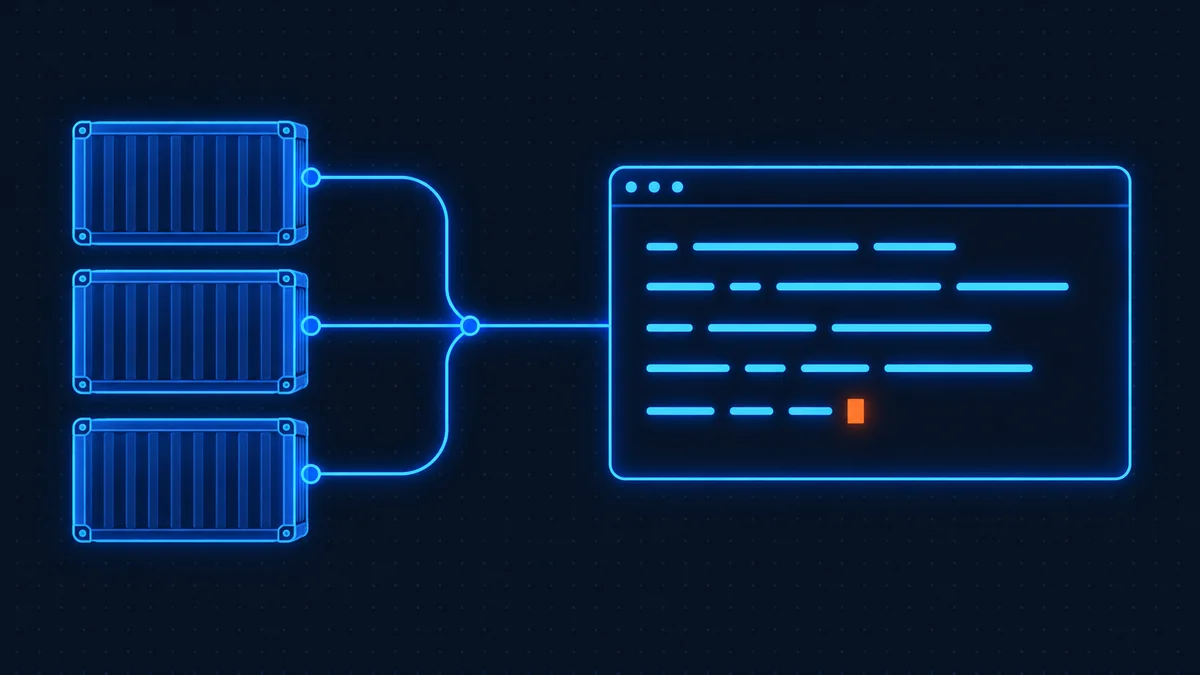
To install n8n with Docker, save a docker-compose.yml with n8n and Postgres, set your domain and credentials, and run docker compose up -d. The whole process takes about 10 minutes. Below is a production-ready Compose file with Postgres and the environment variables that trip most people up.
Step 1: Install Docker
curl -fsSL https://get.docker.com | sh
sudo usermod -aG docker $USER
# log out and back in for group changes to apply
docker --version
Step 2: Create docker-compose.yml
services:
  postgres:
    image: postgres:17
    restart: always
    environment:
      - POSTGRES_USER=n8n
      - POSTGRES_PASSWORD=change_me_strong
      - POSTGRES_DB=n8n
    volumes:
      - pg_data:/var/lib/postgresql/data
  n8n:
    # Pin a version. n8n 2.0 renamed the moving tags (latest -> stable,
    # next -> beta) and recommends pinning. Change the number deliberately.
    image: docker.n8n.io/n8nio/n8n:2.43.7
    restart: always
    ports:
      - "5678:5678"
    environment:
      - DB_TYPE=postgresdb
      - DB_POSTGRESDB_HOST=postgres
      - DB_POSTGRESDB_DATABASE=n8n
      - DB_POSTGRESDB_USER=n8n
      - DB_POSTGRESDB_PASSWORD=change_me_strong
      - N8N_HOST=n8n.example.com
      - N8N_PORT=5678
      - N8N_PROTOCOL=https
      - N8N_WEBHOOK_URL=https://n8n.example.com/
      - TZ=America/Denver
      - GENERIC_TIMEZONE=America/Denver
      # Set this yourself and keep a copy off the server. Without it a
      # restored backup cannot decrypt any stored credential.
      - N8N_ENCRYPTION_KEY=replace_with_a_long_random_string
      # Code node execution runs on task runners in 2.x. External mode
      # is the production setting; the runner is a separate container.
      - N8N_RUNNERS_MODE=external
      - N8N_RUNNERS_AUTH_TOKEN=replace_with_another_long_random_string
      - N8N_RUNNERS_BROKER_LISTEN_ADDRESS=0.0.0.0
    volumes:
      - n8n_data:/home/node/.n8n
    depends_on:
      - postgres
  runners:
    # Must match the n8n version above.
    image: ghcr.io/n8n-io/runners:2.43.7
    restart: always
    environment:
      - N8N_RUNNERS_TASK_BROKER_URI=http://n8n:5679
      - N8N_RUNNERS_AUTH_TOKEN=replace_with_another_long_random_string
    depends_on:
      - n8n
volumes:
  pg_data:
  n8n_data:
Step 3: Start the stack
docker compose up -d
docker compose logs -f n8n
Point your domain's DNS at the server and put Caddy or Traefik in front for automatic HTTPS. See the VPS guide for the full proxy + firewall setup.
Step 4: Update n8n
docker compose pull
docker compose up -d
Common errors, fixed
- Webhook URLs show localhost: set
N8N_WEBHOOK_URLandN8N_HOSTto your public domain (the oldWEBHOOK_URLname is deprecated from 2.35.0). - Permission denied on volume: the
n8n_datavolume must be writable by the node user; let Docker manage it as a named volume. - Database connection refused: ensure the
depends_onis set and Postgres has finished starting.
Full reference: n8n Docker installation docs.
Disclosure: some links on this page are affiliate links. If you buy through them we may earn a commission at no extra cost to you.
Which image tag to use in 2026
This is the detail that silently dates every older tutorial. n8n 2.0 renamed the Docker tags: latest became stable and next became beta, and n8n's changelog says the old names will be removed. The documentation now recommends pinning a specific version rather than tracking a moving tag.
For anything you care about, pin. Write n8nio/n8n:2.43.7 rather than n8nio/n8n:stable, and change the number deliberately when you have read the release notes. A pinned version means a container restart can never surprise you with a major upgrade, which is exactly the failure that produces the stories about workflows breaking overnight.
Task runners, and why your compose file needs a second container
From 2.0, Code node executions run on task runners, and runners are enabled by default. There are two modes. Internal mode runs them in a child process of n8n itself and is described in n8n's documentation as insecure by design, with removal planned for 3.0. External mode runs them as a separate container, and is the production recommendation.
The practical consequence is that the main n8nio/n8n image no longer contains the external runner. A production compose file runs ghcr.io/n8n-io/runners alongside n8n, at a version matching your n8n version, with a shared auth token set as N8N_RUNNERS_AUTH_TOKEN on both sides. If you intend to write Python in the Code node, external runners are not optional: the previous in-browser Python engine was removed in 2.0.
SQLite or Postgres?
SQLite is still the default and is fine for a single-instance setup. It needs no second container and no credentials, and the whole database is one file in your data volume, which makes backups trivial.
Move to Postgres when one of three things is true: you are planning queue mode, which does not support SQLite at all; you are running enough execution history that SQLite performance starts to tell; or your backup strategy is built around database dumps rather than file copies. Supported Postgres versions are 17 and 18, with 16 kept for compatibility. MySQL and MariaDB were removed in 2.0, so if you are on either, migrating is a prerequisite for upgrading rather than a nice-to-have.
Environment variables worth setting on day one
Three that people usually discover late.
N8N_ENCRYPTION_KEY is generated automatically on first launch and stored in your data volume. Setting it explicitly is optional for a single instance, but if you ever restore to a fresh volume without that key, every stored credential becomes unreadable. Record it somewhere safe now rather than learning this during a restore.
TZ and GENERIC_TIMEZONE both need setting, and they are not the same thing. The first sets the container clock, the second tells schedule nodes which timezone to interpret cron expressions in. Set only one and your scheduled workflows will fire at the wrong hour.
N8N_WEBHOOK_URL sets the base URL n8n advertises for webhooks, which matters the moment you put n8n behind a reverse proxy or a domain. The older WEBHOOK_URL is deprecated from 2.35.0 and now just an alias that logs a warning.
Before you go to production
Put a reverse proxy with TLS in front of it. The official compose file ships no proxy, so this is your job, and an n8n instance reachable over plain HTTP is handing out credentials and webhook payloads in clear text. Caddy or Traefik both do this in a few lines. Then confirm your data volume is actually being backed up, and test restoring it once while nothing depends on it. A backup you have never restored is a hypothesis, not a backup.
Frequently asked questions
Compose keeps your configuration, database, and volumes in one version-controlled file, so restarts and updates are reliable and repeatable.
For anything beyond testing, yes. SQLite works for trials but Postgres is far more reliable under load and required for queue mode.
Run docker compose pull followed by docker compose up -d. Always back up your Postgres volume first.
Put a reverse proxy like Caddy or Traefik in front of n8n, or use Caddy's automatic TLS. Set N8N_HOST and N8N_WEBHOOK_URL to your domain.
You must set N8N_WEBHOOK_URL and N8N_HOST to your public https domain, otherwise n8n generates localhost URLs.