
n8n AI: How to Build Your First AI Agent Workflow
By Rick Kennerknecht, NoCode Guide
October 24, 2026
Last verified: October 2026
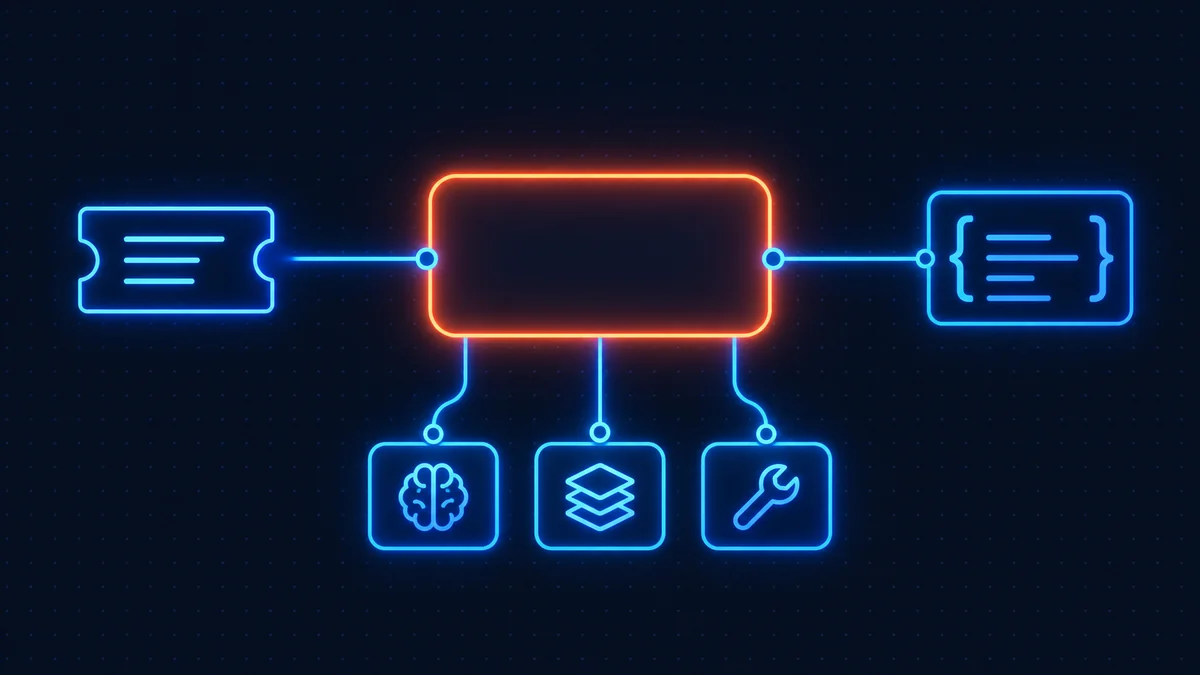
n8n AI workflows are ordinary workflows with one special node in the middle: the AI Agent. You attach a chat model, optional memory, one or more tools and an optional output parser underneath it, and the agent decides which tools to call to answer the prompt. Everything before and after it is normal n8n: triggers, IF nodes, Slack, Sheets.
That framing matters because most "AI automation" content treats the model as the product. In practice the model is one node; the workflow around it is where the value and the cost live. This post builds a support-ticket triager end to end, then covers the two things that bite in production: structured output and cost.
What n8n AI workflows are built from
n8n's documentation groups the pieces under Integrate AI: LLM providers, agents, chains, tools, memory, vector databases and MCP servers. On the canvas they appear as a root node with sub-nodes hanging off it.
| Piece | What it does | Attached where |
|---|---|---|
| AI Agent (root node) | Takes a prompt, loops through tool calls until it has an answer, returns text or structured JSON | Main workflow, like any other node |
| Chat Model | The LLM itself: OpenAI, Anthropic, Google, Ollama and others, each with its own credential | Chat Model input of the agent (required) |
| Memory | Keeps prior turns so the agent remembers the conversation | Memory input (optional) |
| Tool | Something the agent can call: an n8n integration, an HTTP request, a sub-workflow, a Code tool or an MCP server | Tool input (at least one is required) |
| Output Parser | Forces the reply into a schema you define | Output Parser input, after enabling Require Specific Output Format |
| Basic LLM Chain | One prompt, one reply, no tool loop; cheaper and more predictable than an agent | Main workflow |
Chain or agent is the first decision. If the task is "read this text and classify it", a Basic LLM Chain does it in one model call. If the task is "look up the customer, check their plan, then decide", the agent's tool loop earns its keep. Start with the chain; move to the agent when you want a lookup mid-prompt.
The n8n AI Agent node, piece by piece
Since n8n 1.82 every AI Agent node behaves as a Tools Agent; the older agent-type dropdown is deprecated and the v1 node is slated for removal in 3.0. The settings that matter, per the Tools Agent reference:
- Prompt source. Either taken from the previous node automatically (it expects a field called
chatInput, which is what a Chat Trigger produces) or defined below as an expression. For anything that is not a chat UI, choose Define below and build the prompt from your own fields. - System Message. The instructions the agent reads before the conversation. This is where you put the job description, the rules and the tone. Keep it short and specific; long system messages cost tokens on every call.
- Max Iterations. How many times the model may run while trying to produce an answer. Default is 10. Lower it. A triager that needs more than three iterations is confused, and each iteration is a paid model call.
- Require Specific Output Format. Turns on the Output Parser input. With a Structured Output Parser attached, the agent's reply comes back as JSON matching your schema instead of prose.
- Return Intermediate Steps. Includes the tool calls in the output. Turn it on while building, off in production.
How to build an AI agent with n8n: a support-ticket triager
The job: new tickets arrive by webhook from a help desk. The agent reads each one, looks up whether the sender is a paying customer, assigns a category and priority, and posts anything marked urgent to Slack. Here is the workflow, node by node.
1. Webhook trigger. Receives the ticket as JSON: subject, body, sender email. Set the response mode to respond immediately so the help desk is not kept waiting while the model thinks. The webhook integration guide covers the test versus production URL distinction, which catches everyone once.
2. Edit Fields. Build a single ticketText field: subject, a blank line, body. The agent prompt references this one field, which keeps the prompt readable.
3. AI Agent. Prompt set to Define below with {{ $json.ticketText }}. System message along these lines:
You triage support tickets. Use the customer lookup tool to check whether the sender is on a paid plan. Return a category (billing, bug, how-to, feature-request, spam), a priority from 1 to 4 where 1 is urgent, and a one-sentence summary. Paid customers reporting a bug are always priority 1 or 2.
Max Iterations set to 3.
4. Chat Model sub-node. A small model. Classification does not need the flagship; it needs consistency. The n8n OpenAI integration page covers credential setup, and the same pattern applies to any provider.
5. Tool sub-node: customer lookup. A Google Sheets tool pointed at a sheet of customer emails and plans, or an HTTP Request tool against your billing API. Give it a clear description in the tool settings; the description is what the model reads when deciding whether to call it.
6. Structured Output Parser sub-node. Attached after enabling Require Specific Output Format. Schema below.
7. IF node. {{ $json.output.priority }} less than or equal to 2.
8. Slack node on the true branch, posting the summary and a link back to the ticket. The Slack integration page has the credential walk-through.
No memory sub-node: each ticket is independent, and memory belongs only on conversations.
Structured output: make the agent return JSON
Free-text replies are fine for a chat window and useless for an IF node. The Structured Output Parser takes a JSON Schema and the agent is instructed to conform to it. Paste this into the parser's schema field in JSON Schema mode.
{
  "type": "object",
  "properties": {
    "category": {
      "type": "string",
      "enum": ["billing", "bug", "how-to", "feature-request", "spam"]
    },
    "priority": {
      "type": "integer",
      "minimum": 1,
      "maximum": 4
    },
    "paid_customer": { "type": "boolean" },
    "summary": {
      "type": "string",
      "maxLength": 200
    }
  },
  "required": ["category", "priority", "paid_customer", "summary"],
  "additionalProperties": false
}
Two practical notes. Enums are your friend: a model asked for "a category" invents categories, a model given five allowed values picks one. And the parsed result lands under $json.output, so downstream expressions read $json.output.priority, not $json.priority. That mismatch is the most common reason the IF node after an agent never fires.
If the model returns something that fails the schema, the node errors. Put Retry On Fail on the agent with two tries, and route the error output to a "needs human" branch rather than letting the execution die. The n8n error handling post covers the mechanics.
Memory and tools, and the queue-mode catch
For a conversational agent (a Telegram bot, a chat widget) add a memory sub-node so the model sees previous turns. The simplest is Simple Memory, which stores the last N interactions keyed by a session ID. Two settings: Session Key (use the chat ID or user ID so conversations do not bleed into each other) and Context Window Length (how many past interactions to include; every one of them is tokens on every call, so 5 to 10 is plenty).
The documented catch: Simple Memory does not work in queue mode. It lives in the memory of one n8n process, and in queue mode n8n cannot guarantee that successive calls reach the same worker. If you run workers, use a database-backed memory sub-node (Postgres or Redis) instead. Queue mode is what you reach for once AI workflows get popular, and the memory silently stops remembering. The self-hosting guide covers when queue mode becomes necessary.
Tools follow one rule: the description is the interface. The model sees only the tool name and description. "Looks up a customer by email and returns their plan name" gets called correctly. "Customer tool" gets called at random.
MCP servers: tools you do not have to build
Model Context Protocol servers expose a set of tools over a standard interface, and n8n now ships a registry of them. From the agent's tool panel you browse the MCP Servers section, pick a server, sign in, and its tools attach to the agent; n8n creates the credential for you. For a server that is not in the registry, the MCP Client Tool node connects by URL and credentials. The MCP servers documentation has the click path and the "tools to include" filter, which you should use: an agent with forty tools available spends tokens reading forty descriptions on every call.
Cost control when you build AI agents with n8n
There are two bills, the model provider's and n8n's, and they scale differently.
Model cost is tokens in plus tokens out, multiplied by the number of model calls. An agent makes one call per iteration, and each call includes the system message, the prompt, the tool descriptions, the memory window and all prior tool results. So an agent that takes four iterations with a 600-token system message and 10 turns of memory is sending a lot more than the ticket text. The levers, in order of effect:
- Use the smallest model that passes your test cases. Run 50 real tickets through two models and compare; the small one usually ties.
- Cap Max Iterations at the number a correct run needs, plus one.
- Trim the system message. Every word is paid for on every call.
- Keep the tool list short per agent. Split into two agents rather than one with everything attached.
- Set a maximum output tokens value in the chat model's options so a runaway reply cannot cost more than you planned.
n8n cost is simpler, and it is the quiet advantage. n8n bills per execution, not per step or per model call. An agent that loops five times, calls three tools and parses the output is one execution, the same as a two-node workflow. On a per-task tool, each of those tool calls would be a billed step. On n8n Cloud plans the triager above costs one execution per ticket; on a self-hosted instance it costs nothing beyond the server, which is the comparison the n8n Cloud vs self-hosted page makes in detail.
The loop that makes an agent useful is the loop that makes per-step billing expensive, which is why agent workflows belong in n8n.
Testing before you trust it
Build a small evaluation set: 20 to 50 real inputs with the answer you expect, in a sheet. Run the workflow over them manually, compare output to expected, and count mismatches. Repeat every time you change the system message, swap the model or add a tool, because each of those changes behaviour in ways a single test does not show.
Then add the ordinary safeguards: an error workflow, Retry On Fail on the agent and on any tool that calls an API, and a human-review branch for anything the parser rejects. The agent is the clever part; the plumbing around it, covered in the n8n workflows explainer, is what keeps it running at 3 a.m.
Frequently asked questions
The AI Agent node is the root node for agent workflows in n8n: it takes a prompt, uses an attached chat model to decide which attached tools to call, loops until it has an answer, and returns text or structured JSON. A chat model and at least one tool must be connected to it.
Any provider with a chat model sub-node, including OpenAI, Anthropic, Google and locally hosted models through Ollama, each using its own credential. The provider is chosen per agent, so one workflow can use a small model for classification and a larger one for drafting.
One execution per workflow run, regardless of how many times the agent loops or how many tools it calls. n8n bills per execution, not per step, which is what makes agent loops affordable compared with per-task automation tools.
Enable Require Specific Output Format on the AI Agent node and attach a Structured Output Parser sub-node with a JSON Schema. The parsed result appears under $json.output in the next node, so downstream expressions should read fields from there.
Usually because there is no memory sub-node, or because Simple Memory is being used in queue mode, where n8n cannot guarantee calls reach the same worker. Attach a memory sub-node keyed by a session ID, and use a database-backed memory if you run workers.
Use the smallest model that passes your test cases, cap Max Iterations, shorten the system message, limit the number of tools attached to each agent, and set a maximum output token value on the chat model. Model tokens are the variable cost; n8n itself charges one execution per run.
Related guides
Updating n8n takes about five minutes: back up your data folder, pull the new Docker image, and rest
Last verified: August 2026 n8n error handling works in three layers: Retry On Fail on the node, On E
Last verified: August 2026 The fastest way to learn n8n is to import a working workflow and take it